Just In: The Sony Creative Film Looks Pack - Samples & Notes for Use


For years, Sony lagged behind the famous "film simulations" of Fujifilm. The common stigma was that Sony’s color science just wasn't there. When Sony finally released their new Creative Looks, it cleared some of that stigma and made them worth experimenting with, and they are so much better now, but they are still far from perfect.
For a long time, I refused to use Sony's standard Creative Styles or Looks because basic options like 'Portrait' or 'Vivid' were far too limited compared to the deep control of the Picture Profile menu
When Sony upgraded to the new Creative Looks featuring FL, IN, and SH, it was a massive step forward. The new system was much better, but out of the box, the colors still felt a bit 'off.'
So, what changed? With the newest cameras, Sony introduced two more looks—FL2 and FL3. These motivated me to finally dive deep into the menu. And that's how the first creative look recipes came to be. Your response was huge, and made me realize that while many value the control of Picture Profile, others crave the simplicity of the Creative Look settings.
So, I decided to develop a full pack of 39 film looks, inspired by my original Sony film simulation recipes.
Table of Contents
The Reality of The Creative Look Menu
While the new FL2 and FL3 looks offer more creative freedom for in-camera simulations, I’m still not 100% sold on the results. Controls like "Contrast" don’t behave the way I’d expect from Lightroom or Capture One.
The "Highlight" control, in particular, tends to compress information and introduce a green tint into skin tones, also leading to strange color transitions between light and dark areas.
Additionally, while the DRO is useful for lifting midtones, it creates unpleasing shifts in the saturation gradients. Oranges often feel oversaturated, and overall, I still find that the Picture Profile menu offers much better control for refinement, but the drawback that we don't have such interesting color modes as in the creative looks. Maybe an area where Sony can develop more.
Why Choose This Pack?
Despite those quirks, I wanted to create a pack that focuses on simplicity, ease of use, and intuitiveness.
While my Picture Profile pack has over 80 film simulations and maximum control, it's a bit more complex. People value convenience.
For ease of use and speed, most of these recipes are designed to work with Auto White Balance (AWB). This makes the Creative Look menu the best choice for beginners or fast-paced shooting.
This pack includes my take on the most popular film simulations, plus original looks created specifically for street photography, portraits, and documentary work.
What's Included
This includes all 16 recipes from the Free Sony Creative Look Pack , plus 23 brand-new settings developed specifically for this collection.
With 39 looks in total, here are the looks included in the pack.
Available For Free
50's Kodachrome
Fujifilm Fortia
Kodak Vision 200T
Phoenix Harman
Kodak Portra 400
Cinestill 800
Cuba
Provia
Velvia
Astia
Classic Chrome
Pro Neg Std.
Classic Negative
Eterna
Nostalgic Neg
Kodak Gold V1
Exclusive In This Pack
Kodak Gold V2
Portrait
Street
Kodachrome 64
Cold Kodachrome
Cyanide Oxide
Autumn
Fuji 400H
Cinestill 50D
Ayon
Kodak Pro Image 100
Black & White High
Soft B&W
Isotope
Documentary
Kodak Portra 400 V2
Ektar 100
Sundune 400
Reala Ace
Kodak Portra 800
Gold Luxe Nighttime
GAF 500
Eastman Color Negative II - 100T
Straight out of Camera JPEGs Of All Creative Look Settings, With Sony a6700
Kodak Gold V1

Kodak Gold V2

50's Kodachrome

Kodachrome 64

Cold Kodachrome

Fujifilm Fortia

Kodak Vision 200T

Phoenix Harman

Kodak Portra 400 v1

Kodak Portra 400 v2

CineStill 800

Cuba

Provia

Velvia

Astia

Classic Chrome

Pro Neg STD

Reala Ace

Classic Neg

Eterna

Nostalgic Neg

Portrait

Street
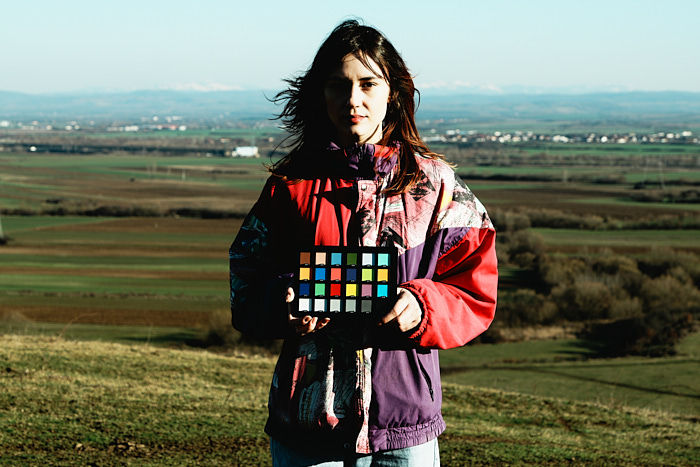
Cyanide Oxide

Autumn

Fuji400H

CineStill 50D

Ayon 200

Kodak Pro Image 100

BnW Hi

BnW Soft

Isotope

Documentary

Ektar 100

Sundune 400

Kodak Portra 800

Gold Luxe - Nighttime

GAF 500

Eastman Color negative II 100T

Important Notes
The AWB Tradeoff - Because these are based on Auto White Balance, the camera will continuously adapt to the scene. You might get different color shifts from one second to another, especially when light changes from sunny, clouds, or indoors. You are letting the camera decide the "right" WB based on the environment. if you want to use a fixed white balance, I recommend going with 5000 Kelvin and the color filter mentionned in the recipe.
If you have a huge green wall in the scene, your camera will feel it has to balance it out by pushing more magenta, resulting in a highly purple image. This is normal with any camera when using AWB.
Example: Shot taken with Cuban Negative 1 second apart set on AWB. First image is cooler, the second one is warmer.


Camera Compatibility
Designed for newer Sony cameras. Most recipes are built on the FL1, FL2, FL3, SH, and IN looks found only in newer Sony models. If you have an older camera, you can try adapting them using "Neutral" or "Deep" if you feel like it, but these were specifically engineered for the latest Sony sensors, so I don't promise you'll get similar looks.
Sensor Variation - Every camera has a slightly different color science. If you use AWB, don't worry about getting a 100% exact match between two different camera bodies. It’s mostly a gamble anyway.
Simulations Are Not Real Film - Keep in mind these are in-camera simulations, not real film. Even physical film stock varies wildly based on the lens used, exposure, development, and scanner. A limited digital menu cannot perfectly replicate those chemical complexities. These profiles should be viewed as "digital interpretations" of a specific aesthetic.
My advice? Simply enjoy the colors, tweak the settings to your personal taste, and get the results you want. It’s as easy as that. The whole idea of this project is to take a break from post-processing raw files, and enjoy snapping pictures again.
A Work In Progress (Free Updates Included)
This is the first official release of these 39 settings. Adjustments and refinements for even better colors will come in the following months. Updates are sent for free directly via email to all active newsletter subscribers. You need to be subscribed during the time of the release, otherwise you won't get the update.
I am also really looking forward to your feedback. Do you have any questions about the settings or the AWB tradeoffs? Which recipes do you think could be tweaked? Which ones are your absolute favorites so far? Would you like RAW Lightroom/Capture One presets for these?
Drop a comment below and let me know!


Had it since the release and already used them on a couple of trips. Couldn't be happier with these pack. One of the best purchase so far. As someone who shoot more videos than photos, they’ve made everything so much easier. I get to focus more on composition instead of stressing about editing. I've been a fan of you, Veres, for a long time and I appreciate your work. More power to you brother! Don’t miss this pack, guys. It's an absolute steal!
Hi Alex. Some recipes in this pack use creative look "NL". Is it a typo? NT or FL?
Wonderful work! Thanks. "Would you like RAW Lightroom/Capture One presets for these?" Absolutely! And if possible, more B&W and Monochrome options. 👍😄